A plain-English read on what's new, what's limited, and what it means if you're reporting to clients.
If you run marketing for clients, you probably got the email this week. "All your marketing data. One dashboard." Google Analytics, selling you on something called Campaign Data Import.
It's real, and it's useful. But it doesn't do what most agencies actually need it to do. Here's the honest read.
What Google actually shipped
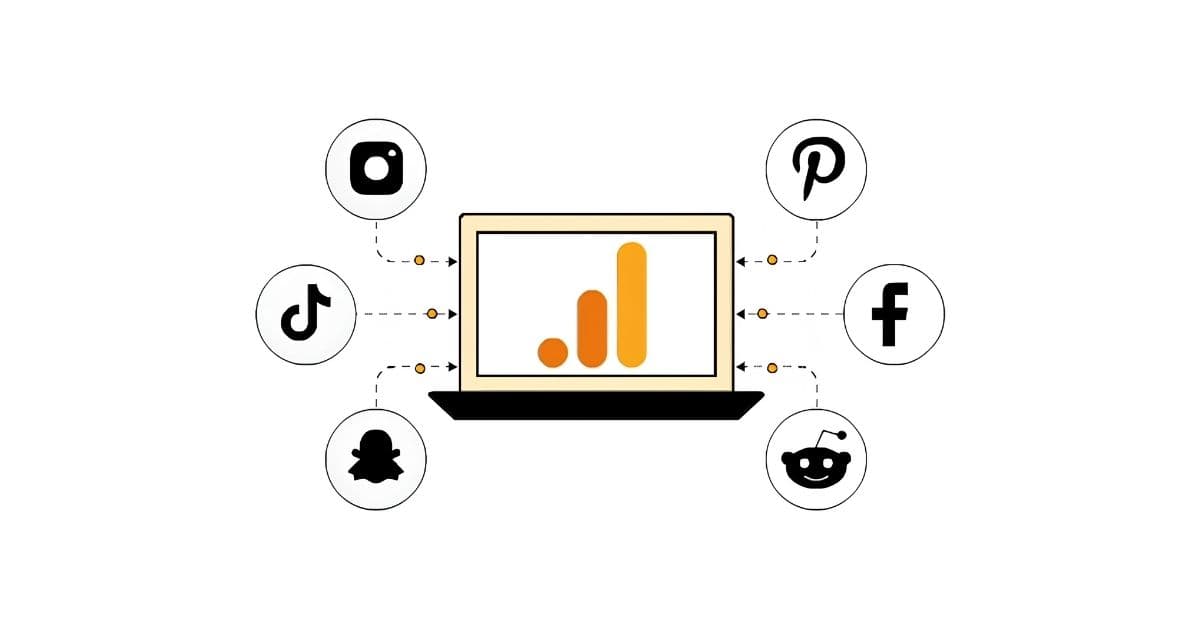
GA4's new Campaign Data Import lets you automatically pull cost data, clicks, and impressions from Meta (Facebook, Instagram, Messenger, Threads) and TikTok directly into any GA4 property. No CSV uploads. No third-party connector. No manual reconciliation.
The feature launched on October 7, 2025 and sits inside GA4 Admin > Data Collection and Modification > Data Import. Since then, Pinterest, Snap, and Reddit have been added to the supported list. The feature remains in beta.
Once you connect, you get:
- Up to 24 months of historical cost data backfilled automatically
- Ongoing daily syncs
- Standard GA4 reports (Acquisition, Advertising) populated with Meta and TikTok spend alongside Google Ads
- Cost per conversion and ROAS calculations inside GA4, using GA4's attribution models
For a single-brand in-house team with a simple paid stack across Google, Meta, TikTok, Pinterest, Snap, or Reddit — this covers the data layer. That's a real improvement over manual CSV uploads.
What GA4's cost import doesn't cover
The feature has specific limits. They matter if you report to clients.
Three metrics only. Cost, clicks, impressions. No creative-level data, no ad-set performance, no audience insights, no placement breakdowns, no frequency or reach, no engagement metrics. If you need to know why a Meta campaign is underperforming — not just that it is — you still need Meta Ads Manager.
Five platforms only. Meta, TikTok, Pinterest, Snap, Reddit. LinkedIn Ads, Microsoft Ads, X, and B2B channels are absent. Google has published no timeline for expanding the list.
One import per platform per property. Each GA4 property supports exactly one Meta connection and one TikTok connection.
GA4's attribution only. You can't layer custom multi-touch models or reconcile Meta's view-through data with GA4's click-based sessions. The numbers in Meta Ads Manager and GA4 will still diverge because the two platforms define conversions differently. That gap doesn't close.
No deduplication with manual imports. If you were uploading Meta cost data manually before this, you need to delete the old datasets first. GA4 will not deduplicate — it will double-count.
Still in beta. Six months after launch, expect quirks and edge cases as Google iterates.
Where this breaks for agencies
The limits above apply to everyone. For agencies managing multiple clients, the structural problems are deeper.
One GA4 property per client means one setup per client
If you manage 20 clients, the "seamless integration" is actually 20 Meta OAuth flows, 20 TikTok OAuth flows, 20 UTM taxonomies to audit, 20 sets of source and medium values to verify, and 20 properties to maintain. That's not a reduction in work — it's a redistribution of it.
Unlike the third-party reporting tools you already use, there's no central place to see all 20 clients at once. Every property lives on its own island.
Your clients don't log into GA4
This is the core issue. GA4 is an analyst's tool. It's dense, jargon-heavy, and assumes the reader knows what a session is, what an event is, and why GA4's numbers don't match Meta's.
Your clients don't know any of that. They want to know whether their marketing worked and what you'd recommend next. GA4 can now show more data to you. The translation step — turning that data into something a client can read and act on — still takes 20 to 60 minutes per client per month. That step is entirely on you.
No white-labelling, no client portal, no narrative
Google has no interest in building those things. They want marketers inside Google's UI. An agency wants clients inside the agency's UI — or reading a clear explanation in their inbox. None of that gets easier because GA4 now includes Meta spend.
No cross-source intelligence beyond ads
GA4's Campaign Data Import connects ad platforms. It doesn't unify ads with Shopify revenue, Search Console organic queries, X Ads, HubSpot CRM performance, or email. For most agencies, the "complete view" in Google's email covers 40-60% of the data clients are paying you to interpret.
The bigger pattern: visibility vs. interpretation
Google is improving the visibility layer. More data, lower friction, less manual work. That's legitimately valuable — if you advertise on Meta and TikTok, you should switch it on.
But visibility has never been the agency reporting bottleneck.
You can already see everything. You have AgencyAnalytics, DashThis, Whatagraph, Looker Studio, or Supermetrics piping into BigQuery. The charts exist. The data is accessible.
The bottleneck is interpretation. Every month, someone at your agency looks at that data, figures out what changed, figures out why it changed, decides what to recommend, and writes it up in language a client can read. That work takes 20 to 60 minutes per client. A better dashboard doesn't shorten it by a minute.
A concrete example. It's Monday morning. GA4 shows conversions fell 18% last week. That number is the easy part. The hard part is everything between it and a client-ready email: checking whether branded search held up, noticing that Meta traffic dropped in quality even as spend climbed, seeing that mobile checkout CVR fell while desktop held flat, deciding the likely cause is creative fatigue on one campaign rather than a broader funnel issue, then writing all of that in language the client can act on.
Google's update moves the visibility layer. The interpretation layer — the 20 to 60 minutes — doesn't move at all. These are different problems, and increasingly, different categories of product.
Where LDOO fits
LDOO is built for that 20 to 60 minutes — the interpretation layer, not the data layer.
It's a conversational analytics platform for agencies. Ask a question about a client's performance in plain English, and the answer comes back specific enough to send to a client without rewriting — a number, a cause, a comparison, and a recommendation. From the same conversation, you can generate a branded report or create a live client portal.
Concretely:
- Conversational, not configurational. No widgets to drag, no custom dimensions to build. Ask a question; get a client-ready explanation.
- Client-ready by design. Answers are structured for what agencies deliver — executive summaries, campaign breakdowns, prioritised recommendations.
- One conversation, multiple outputs. Any answer can become a branded PDF report, a live client portal section, or a pinned insight.
- White-label throughout. Your logo, your colours, your domain. LDOO is a subtle footer, never the hero.
- Multi-client by default. All clients in one place — not 25 separate GA4 properties with 25 separate setups.
- Ten data sources. GA4, Google Ads, Meta Ads, Search Console, Shopify, YouTube Analytics, X Ads, HubSpot CRM, Google Sheets, Microsoft Clarity, LinkedIn Ads.
Every reporting tool shows you data. LDOO explains it in seconds. That's a different product.
What this actually changes for your agency
For most agencies: not much.
- If your stack already works, GA4's new feature is a nice-to-have. Turn it on for native Meta and TikTok numbers in GA4.
- If you were considering dropping a third-party reporting tool, pause. GA4's native import covers five ad platforms and nothing else.
- If you're drowning in monthly client reports, GA4's update doesn't touch that problem. It was never meant to.
The agency reporting bottleneck is still interpretation — turning data into explanations clients can read and act on.
That's the gap LDOO is built for.