# Data integration for marketing agencies: what actually matters
Most data integration guides are written for data engineers building pipelines at enterprise companies. They talk about schema design, message queues, and horizontal scaling. That is useful if you are running infrastructure at a company with a dedicated data team. It is not useful if you are an agency account manager trying to figure out why conversions dropped across three platforms last Tuesday.
Agencies do not need a data warehouse. They need to connect Google Ads, Meta, GA4, and Search Console, get the data into one place, and ask cross-platform questions without opening four browser tabs. The "best practice" for a 15-person paid media agency is not the same as for a data team at a Fortune 500. This post is about the agency version.
The actual problem agencies face
The problem is not "data complexity" in the abstract. It is this specific scenario, which happens at every agency multiple times a week:
A client asks why conversions dropped. You open Google Ads and check campaign performance. Then you open GA4 and look at landing page behavior. Then you check Meta to see if the issue is cross-channel. Then you compare date ranges manually across all three platforms, trying to figure out whether the drop is paid, organic, or both. You copy numbers into a spreadsheet. You write a summary. You send it to the client.
That process takes 20 to 30 minutes per question. For a client check-in with three or four questions, you are looking at an hour of tab switching before you have written a single recommendation.
The integration problem for agencies is not about building pipelines. It is about eliminating that tab-switching loop. When all of a client's marketing data is queryable from one place, "why did conversions drop?" becomes a single question with a single answer that accounts for all channels.
What "integrated data" means for an agency
For a data engineering team, integrated data means a clean data warehouse with documented schemas, version-controlled transformations, and automated quality checks. For an agency, it means something much simpler.
Integrated data means all your client's marketing data is queryable from one place, with consistent metric definitions across platforms. Revenue is revenue whether it comes from Google Ads conversion tracking or Shopify order data. CPA is calculated the same way regardless of source. When you ask "how did paid perform this month?" the answer includes Google Ads and Meta together, not two separate numbers you have to reconcile manually.
This does not require BigQuery. It does not require a data engineer on staff. It requires a platform that connects to your client's marketing accounts, normalizes the data into a common format, and lets you query across all of it at once.
The five things that actually matter
Most integration advice covers dozens of considerations. For agencies, five things determine whether your data integration actually works or just looks connected on paper.
1. Connection method
OAuth is the standard. You click "Connect Google Ads," authorize read-only access, and the platform handles authentication, token refresh, and API versioning from that point forward.
If you are exporting CSVs from Google Ads and uploading them into a reporting tool, you are doing integration manually. That means stale data, formatting errors, and time spent on data entry instead of analysis. Every major marketing platform supports OAuth. Your integration tool should use it for every connection.
The key word is read-only. Your integration layer should never need write access to your client's ad accounts. If a tool asks for edit permissions to pull reporting data, that is a red flag.
2. Data freshness
How often does the data update matters more than most agencies realize — but not in the way you might think.
For monthly reporting, daily syncs are more than sufficient. For weekly client check-ins, daily is still fine. But when a client messages you mid-campaign asking "why is spend so high today?" you need data that is current, not 24 hours old.
The practical answer is a hybrid: background syncs that keep your data current on a daily cadence, with the ability to pull live data from platform APIs when you ask a real-time question. That way your reports are fast (they read from synced data) and your mid-day questions are accurate (they hit the live API when freshness matters).
Watch for platforms that claim "real-time" but actually sync every 6 or 12 hours. Check whether the tool shows you when each data source was last updated. If you cannot see data freshness per source, you cannot trust the numbers for time-sensitive questions.
3. Cross-platform normalization
This is where most integrations quietly fail. A tool might connect to both Google Ads and Meta, but if it does not normalize the data, you still cannot compare them meaningfully.
The core issue: "conversions" do not mean the same thing in Google Ads and Meta. Google Ads uses data-driven attribution by default with a 30-day click window. Meta uses a 7-day click, 1-day view window. If you compare raw conversion counts side by side, you are comparing numbers that were counted differently.
A good integration layer handles this by documenting the attribution model per source, using consistent metric names across platforms, and calculating derived metrics (CPA, ROAS, CTR) using the same formula regardless of where the underlying data came from. For a deeper look at how attribution differences affect cross-channel analysis, see the attribution models guide.
Normalization also means handling the basics consistently: currency conversion, timezone alignment, and entity naming. A "campaign" in Google Ads and a "campaign" in Meta should both be queryable as campaigns without you having to remember which platform calls them what internally.
4. Historical depth
When you onboard a new client, can you ask about last quarter on day one? Or do you only have data from the connection date forward?
This matters more than it seems. The first thing most agencies want to do with a new client is understand historical performance — what has been working, what the trends look like, whether current results are normal or anomalous. If you have to wait 30 days to build up enough data to answer basic questions, onboarding is slower and the first client meeting is less useful.
Most marketing APIs provide at least 90 days of historical data. Some provide years. Your integration platform should pull historical data on first connection, not just start collecting from today. Ask specifically about this when evaluating tools — many do not mention the limitation until you notice the gap.
5. Cross-channel queries
This is the test that separates platforms that are genuinely integrated from platforms that just list multiple connectors in their marketing.
Can you ask "how does paid compare to organic?" and get one answer? Or do you get a Google Ads dashboard and a separate Search Console dashboard and have to do the comparison yourself?
Cross-channel querying means the platform understands that Google Ads spend and GA4 sessions and Search Console impressions are all related to the same client and the same time period. It can combine them into a single response. It can tell you that paid traffic drove 60% of revenue while organic traffic drove 30%, with the remaining 10% from direct — all in one view, without you pulling numbers from three tabs.
If your "integrated" platform gives you three separate reports instead of one answer, it is a multi-connector tool, not an integrated platform. The distinction matters because the time savings come from the cross-channel answer, not from having fewer browser tabs open.
What most agencies get wrong
Three patterns show up repeatedly when agencies try to solve their data integration problem.
Building a custom data stack when a connected platform would do. The BigQuery plus Supermetrics plus Looker Studio stack is popular because each individual piece is good. But maintaining it is a part-time job. APIs change, tokens expire, schemas update, queries break. Unless you have someone on staff who enjoys debugging SQL and fixing broken data pipelines on a Friday afternoon, a purpose-built platform will save you more time than it costs.
Treating data integration as a one-time setup. Connecting your platforms is not a project with a completion date. It is an ongoing capability. Google changes their API every quarter. Meta deprecates endpoints. OAuth tokens expire. Schema changes break downstream queries. Your integration layer needs to handle all of this automatically, or someone on your team ends up doing maintenance work that has nothing to do with marketing.
Connecting everything without a plan. Some agencies connect 15 data sources on day one and then never ask a cross-channel question. The connections are there, but the data is not normalized, so cross-platform analysis requires the same manual work as before. Connect the sources your clients actually ask about — typically Google Ads, GA4, Meta, and Search Console — and make sure you can query across them before adding more. Breadth without normalization is just a longer list of disconnected dashboards.
What the workflow looks like when integration is done right
When data integration works properly, the workflow is short enough to describe in four steps:
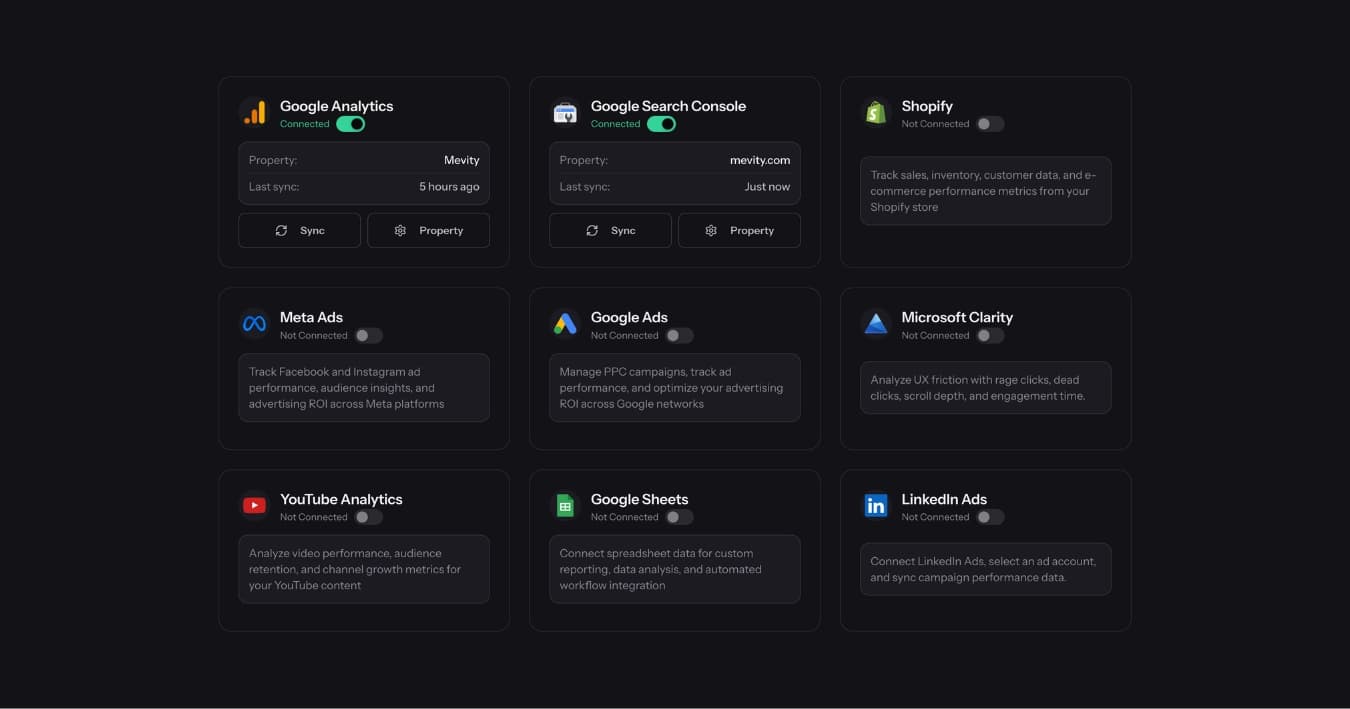
Connect sources. One-click OAuth for each platform. Five minutes per source, done once per client. No API keys, no CSV exports, no manual configuration.
Ask a question that spans multiple sources. "How did paid versus organic perform this month?" The question crosses Google Ads, Meta, GA4, and Search Console. A single query pulls normalized data from all connected sources and returns one answer.
Get one answer with normalized metrics. Not four separate views. One response that says paid drove 340 conversions at $18.40 CPA while organic drove 210 sessions with a 3.2% conversion rate, and that the paid-to-organic revenue split shifted 8 points toward organic compared to last month.
Turn that answer into something you can share. Send it to a client directly. Turn it into a section of a branded report. Use it to seed a live client portal. The integration is the foundation, but the question is what makes it useful. This is the conversational analytics workflow — the data integration is invisible to the end user, which is exactly how it should be.
For a detailed look at how this workflow changes client reporting specifically, see conversational analytics and client reporting.
The maintenance question nobody asks upfront
Every agency evaluating data integration tools asks about connectors, pricing, and features. Almost nobody asks about maintenance.
Here is what maintenance looks like with a manual integration stack: Google changes their Ads API from v15 to v16 and deprecates the endpoint you were using for campaign data. Your queries break. Someone on your team has to figure out what changed, update the queries, test that the data still matches, and redeploy. This happens two to three times per year per platform.
With a managed integration platform, the platform vendor handles API changes, token refresh, schema updates, and error recovery. You never see the maintenance work. Your data is just there, updated, normalized, and queryable.
This is not a minor difference. For a 20-client agency with four platforms per client, manual maintenance across 80 connections will consume meaningful hours every quarter. Those hours come from your most technical team member — usually the same person who should be doing campaign optimization, not debugging API deprecation notices.
How to evaluate whether your integration is working
The test is simple. Ask yourself one question: can you ask a cross-channel question about any client and get a useful answer in under a minute?
Not "can you eventually find the answer by checking multiple dashboards." Can you ask the question and get the answer, with normalized metrics from all connected sources, in the time it takes to read a short paragraph?
If the answer is yes, your data integration is working. It does not matter whether the underlying architecture is simple or complex, managed or self-hosted. The result is what matters: one question, one answer, all sources, useful enough to share with a client without editing it.
If the answer takes 20 minutes of tab switching and manual reconciliation, the integration is not working — regardless of how many connectors are listed on the settings page.
Data integration is not a project. It is a capability. The question is not "how do we build a pipeline." It is "can we ask a cross-channel question and get a useful answer?" That is the only test that matters.
One-click OAuth vs manual data pipelines
Traditional integration advice says "build a data pipeline" or "use an ETL tool." That is engineering work — setting up credentials, mapping schemas, scheduling syncs, handling failures. An agency account manager should not need to think about any of this. The goal is to connect a client's data and ask a question, not to become a data engineer.
Modern marketing platforms support OAuth — the same "Sign in with Google" flow everyone already uses. LDOO uses one-click OAuth to connect GA4, Google Ads, Meta, Search Console, Shopify, and more. No API keys, no credentials, no schema mapping. Connect in 30 seconds, ask a cross-channel question immediately. The sync engine handles token refresh, schema normalization, and failure recovery in the background.
The real test of data integration for agencies is not "how many connectors does it have?" — it is "can I connect a new client and ask a question in under five minutes?" If the answer is no, the integration is solving the wrong problem.