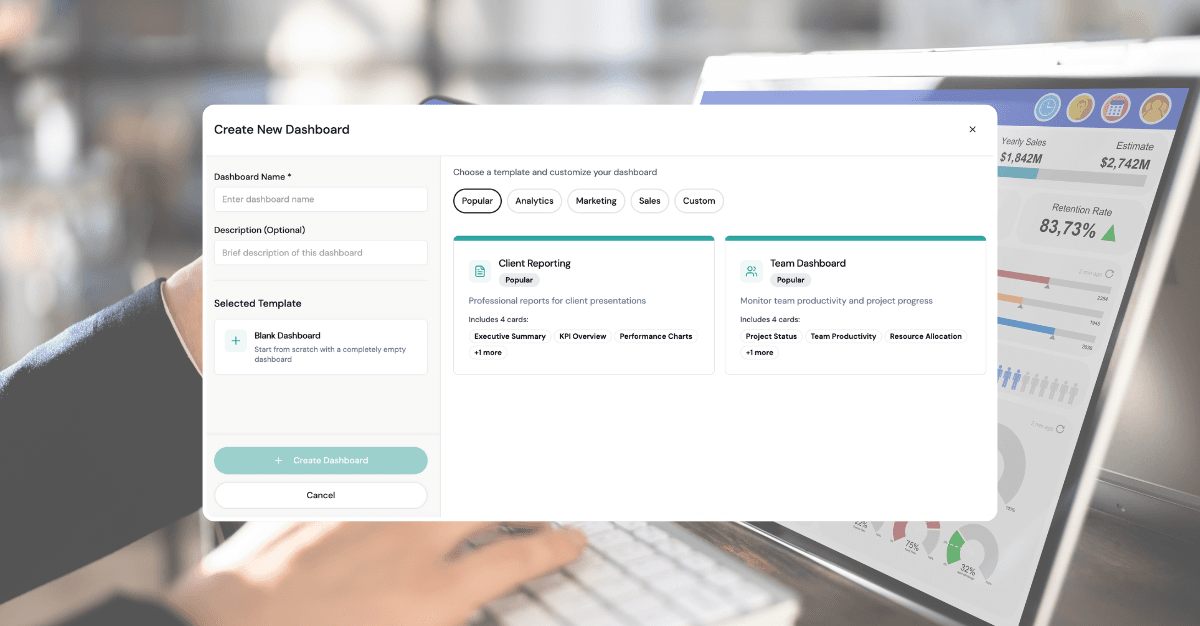
In the fast-paced world of digital marketing, waiting for daily or weekly reports to understand campaign performance is like driving while looking in the rearview mirror. Real-time dashboards have become essential for modern marketing operations, enabling instant insights and rapid optimization decisions.
But here's the challenge: most real-time dashboards are information overload at best, and misleading at worst. The key isn't just making data available in real-time—it's making it actionable in real-time.
Why Real-Time Matters
The Speed of Digital Marketing
Modern marketing moves at unprecedented speed:
- Social Media: Viral content can reach millions within hours
- Paid Advertising: Auction-based systems change costs minute by minute
- Website Traffic: User behavior patterns shift throughout the day
- Competitive Landscape: Competitors adjust strategies continuously
Business Impact of Real-Time Insights
Revenue Protection: Quickly identify and fix underperforming campaigns before budget waste Opportunity Capture: Spot and scale high-performing content or campaigns immediately Crisis Management: Detect and respond to PR issues or technical problems instantly Competitive Advantage: React to market changes faster than competitors
ROI of Real-Time Monitoring
Studies show that real-time marketing optimization can:
- Reduce wasted ad spend by 25-40%
- Increase campaign ROI by 15-30%
- Improve response time to opportunities by 80%
- Decrease time to detect issues by 90%
Core Principles of Effective Real-Time Dashboards
1. Focus on Actionable Metrics
Not all real-time data is worth monitoring. Focus on metrics that:
- Directly impact business outcomes
- Can be acted upon immediately
- Have clear optimization paths
- Indicate urgent problems or opportunities
Example: Instead of showing real-time impressions, show real-time cost-per-acquisition vs. target
2. Design for Attention Management
Real-time dashboards compete for attention. Design them to:
- Highlight anomalies, not normal performance
- Use color coding to indicate urgency levels
- Provide clear visual hierarchy
- Minimize cognitive load
3. Enable Rapid Decision Making
Every element should support quick decisions:
- Include relevant context and benchmarks
- Provide one-click drill-down capabilities
- Offer suggested actions for common scenarios
- Link directly to optimization tools
Essential Real-Time Dashboard Components
Performance Alerts Section
Critical Metrics:
- Campaign performance vs. targets
- Budget pacing and spend rate
- Conversion rate deviations
- Technical issues (tracking, site performance)
Alert Configuration:
- Threshold-based alerts (performance drops >X%)
- Trend-based alerts (declining performance over time)
- Competitive alerts (share of voice changes)
- Seasonal/time-based adjustments
Live Campaign Overview
Key Elements:
- Active campaign status and health scores
- Real-time spend vs. budget allocation
- Performance trending (hourly, daily patterns)
- Cross-channel performance comparison
Visualization Best Practices:
- Traffic light system for campaign health
- Spark lines for quick trend identification
- Progress bars for budget utilization
- Comparative charts for benchmarking
Anomaly Detection
Automated Monitoring:
- Statistical anomaly detection algorithms
- Machine learning-based pattern recognition
- Historical performance comparisons
- External factor correlation (weather, events, news)
Alert Prioritization:
- Impact severity scoring
- Confidence levels for detected anomalies
- Historical false positive rates
- Integration with notification systems
Competitive Intelligence
Real-Time Monitoring:
- Share of voice tracking
- Competitor campaign activity
- Auction pressure indicators
- Market trend analysis
Actionable Insights:
- Bidding strategy recommendations
- Content opportunity identification
- Market timing optimization
- Budget reallocation suggestions
Channel-Specific Real-Time Monitoring
Paid Search (Google Ads, Bing)
Critical Real-Time Metrics:
- Quality score changes
- Auction insights and competition
- Search impression share
- Cost-per-click fluctuations
Optimization Triggers:
- Bid adjustment opportunities
- Keyword performance changes
- Ad copy performance variations
- Landing page quality issues
Social Media Advertising (Facebook, LinkedIn, Twitter)
Real-Time Monitoring:
- Audience saturation indicators
- Creative fatigue signals
- Auction competition levels
- Demographic performance shifts
Immediate Actions:
- Creative rotation decisions
- Audience expansion/contraction
- Bid strategy adjustments
- Budget redistribution
Programmatic Display
Key Indicators:
- Viewability rates
- Brand safety compliance
- Audience quality metrics
- Inventory availability
Real-Time Optimizations:
- Blacklist/whitelist adjustments
- Bid price modifications
- Creative performance optimization
- Audience segment refinement
Email Marketing
Live Monitoring:
- Delivery and open rates
- Click-through performance
- Unsubscribe rates
- Spam folder placement
Responsive Actions:
- Send time optimization
- Subject line testing
- Content performance analysis
- List hygiene activities
Technical Architecture for Real-Time Dashboards
Data Pipeline Requirements
Low-Latency Ingestion:
- API polling frequencies (every 1-15 minutes)
- Webhook implementations for instant updates
- Stream processing for high-volume data
- Edge caching for global performance
Data Processing:
- Real-time aggregation and calculation
- Anomaly detection algorithms
- Historical context integration
- Cross-platform data joining
Infrastructure Considerations
Scalability:
- Handle traffic spikes during campaigns
- Support multiple concurrent users
- Accommodate growing data volumes
- Enable geographic distribution
Reliability:
- Redundant data sources and connections
- Failover mechanisms for critical metrics
- Data quality monitoring and validation
- Backup systems for dashboard availability
Technology Stack Options
Cloud-Native Solutions:
- AWS: Kinesis, Lambda, CloudWatch
- Google Cloud: Pub/Sub, Cloud Functions, Monitoring
- Azure: Event Hubs, Functions, Monitor
Specialized Platforms:
- Looker for embedded real-time analytics
- Tableau for interactive visualizations
- Grafana for monitoring-focused dashboards
- LDOO for marketing-specific solutions
Dashboard Design Best Practices
Visual Hierarchy and Layout
Priority-Based Organization:
- Most critical alerts at the top
- Primary KPIs prominently displayed
- Supporting metrics in secondary positions
- Detailed analysis in expandable sections
Screen Real Estate Management:
- Minimize scrolling for key information
- Use responsive design for mobile access
- Implement progressive disclosure for details
- Maintain consistent positioning across updates
Color Psychology and Coding
Status Communication:
- Red: Urgent action required
- Yellow/Orange: Attention needed
- Green: Performing well
- Blue: Informational updates
Accessibility Considerations:
- Color-blind friendly palettes
- High contrast ratios
- Alternative status indicators (icons, patterns)
- Screen reader compatibility
Interactive Elements
Drill-Down Capabilities:
- Click-through to detailed analysis
- Contextual filters and segmentation
- Time range adjustments
- Comparative analysis tools
Action-Oriented Features:
- Direct links to optimization tools
- Quick campaign pause/resume buttons
- Bid adjustment interfaces
- Alert acknowledgment systems
Common Real-Time Dashboard Mistakes
Information Overload
Problem: Showing every available metric in real-time Solution: Curate dashboards for specific roles and use cases Best Practice: Follow the "5-second rule"—key insights should be apparent within 5 seconds
False Urgency
Problem: Treating normal fluctuations as emergencies Solution: Implement statistical significance testing and confidence intervals Best Practice: Use historical context and seasonal adjustments
Technical Complexity
Problem: Over-engineering solutions that are difficult to maintain Solution: Start simple and evolve based on user needs Best Practice: Prioritize reliability over advanced features
Lack of Context
Problem: Showing metrics without benchmarks or explanations Solution: Always include relevant context and comparison points Best Practice: Provide tooltips and help text for complex metrics
Implementation Strategy
Phase 1: Foundation (Weeks 1-4)
Objectives:
- Establish data connections to key platforms
- Build basic real-time data pipeline
- Create simple dashboard prototypes
- Define key metrics and thresholds
Deliverables:
- Working data integrations
- Basic dashboard framework
- Alert notification system
- User access and permissions
Phase 2: Core Features (Weeks 5-8)
Objectives:
- Implement anomaly detection
- Add interactive elements
- Create role-specific views
- Establish optimization workflows
Deliverables:
- Automated alert system
- Drill-down capabilities
- Mobile-responsive design
- Integration with optimization tools
Phase 3: Advanced Features (Weeks 9-12)
Objectives:
- Add predictive analytics
- Implement competitive monitoring
- Create custom visualizations
- Optimize performance and reliability
Deliverables:
- Machine learning-based insights
- Competitive intelligence features
- Advanced customization options
- Comprehensive documentation
Phase 4: Scale and Optimize (Ongoing)
Objectives:
- Expand to additional channels and clients
- Continuous improvement based on usage
- Advanced automation features
- Integration with broader marketing stack
Measuring Dashboard Success
Usage Metrics
- Daily/weekly active users
- Time spent on dashboard
- Feature utilization rates
- Mobile vs. desktop usage
Business Impact
- Reduction in response time to issues
- Improvement in campaign performance
- Decrease in wasted ad spend
- Increase in optimization actions taken
User Satisfaction
- Net Promoter Score (NPS)
- Feature request frequency
- Support ticket volume
- User retention rates
Future of Real-Time Marketing Dashboards
Emerging Technologies
Artificial Intelligence:
- Predictive anomaly detection
- Automated optimization recommendations
- Natural language query interfaces
- Intelligent alert prioritization
Augmented Reality:
- Immersive data visualization
- Contextual information overlay
- Gesture-based interactions
- Collaborative virtual environments
Voice Interfaces:
- Voice-activated queries
- Audio alert notifications
- Hands-free dashboard navigation
- Conversational analytics
Industry Trends
Privacy-First Design:
- Cookieless tracking integration
- First-party data emphasis
- Consent management integration
- Privacy-preserving analytics
Cross-Platform Unification:
- Universal customer identity
- Unified attribution modeling
- Cross-device journey tracking
- Integrated optimization actions
The LDOO Approach
At LDOO, we've learned from thousands of real-time dashboard implementations:
Intelligent Alerting
- Context-aware anomaly detection
- Machine learning-based prioritization
- Customizable threshold management
- Multi-channel notification delivery
Action-Oriented Design
- Direct integration with optimization tools
- One-click campaign adjustments
- Automated workflow triggers
- Performance-based recommendations
Enterprise Reliability
- 99.9% uptime guarantee
- Sub-second data refresh rates
- Global CDN distribution
- Enterprise security standards
Getting Started
Assessment Questions
Before building real-time dashboards, ask:
- What decisions need to be made in real-time?
- Who will be monitoring the dashboards?
- What actions can be taken immediately?
- How will you validate dashboard effectiveness?
Quick Wins
Start with these high-impact, low-complexity features:
- Campaign spend pacing alerts
- Performance threshold notifications
- Technical issue monitoring
- Competitive share-of-voice tracking
Success Criteria
Define clear success metrics:
- Specific response time improvements
- Measurable performance gains
- Quantified cost savings
- User adoption targets
Conclusion
Real-time marketing dashboards are powerful tools, but only when they're designed with clear purpose and user needs in mind. The goal isn't to show everything in real-time—it's to enable better, faster decision-making that drives business results.
Focus on actionable insights, design for attention management, and continuously iterate based on user feedback and business outcomes. The investment in real-time capabilities pays dividends in improved performance, reduced waste, and competitive advantage.
Ready to build real-time dashboards that drive results? Explore LDOO's real-time analytics features and see how we make complex real-time data simple and actionable.